Radios equipped with the station list feature will have a Stat button in the upper left corner on the FM screen. The radio scans and creates a list of all available stations in the FM band. Radios with a dual tuner will continually update the list as stations come in and out of range.
Accessing station list: See Figure 1. For equipped radios, press the Stat button in the upper left corner of the FM band screen.
Selecting a station: See Figure 2. Use the scroll controls. Select the desired station from the list.

Figure 1. FM Tuner (Station List)
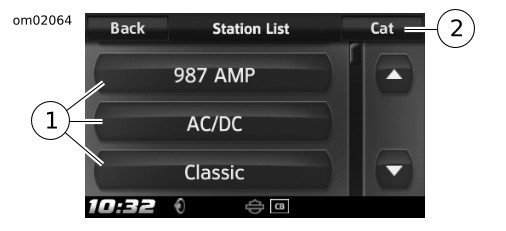
| 1 | Stations (showing current station or program information) |
| 2 | Categories |
Figure 2. Station List